Connect your data. We’ll handle the rest.
BImaster Automation takes a report template from “sample data only” to “populated with your real numbers” without you touching a single spreadsheet. We support multiple data connections — databases, local folders, SharePoint, CRM systems, OneDrive, Excel, and more. Connect your source, review the AI-suggested mapping, and download a report that’s ready to use.
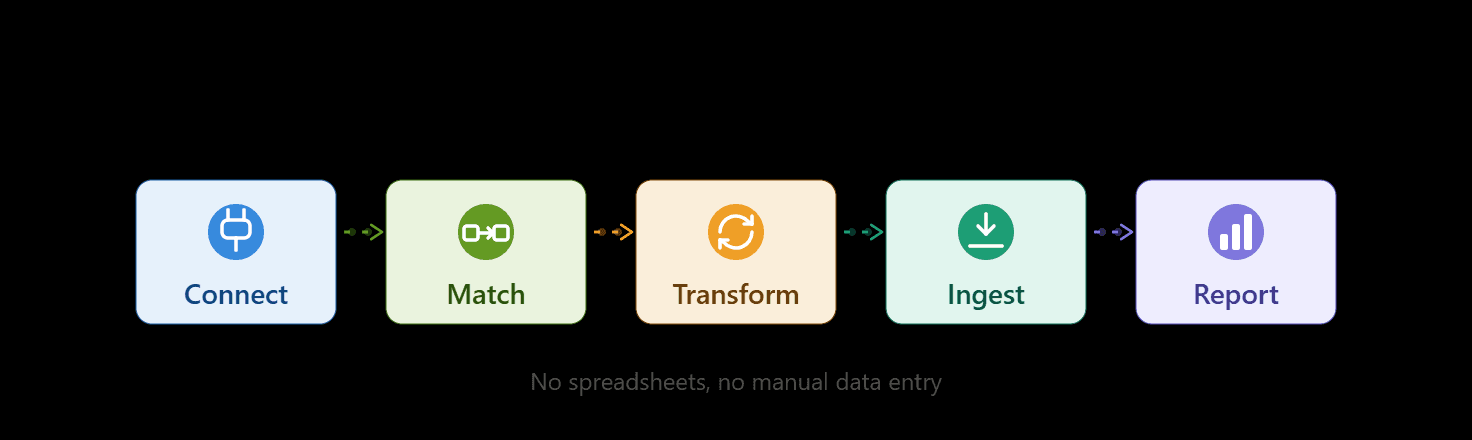
From raw data to finished report, in five steps
Connect any data source
Point us at your database, local folder, SharePoint, CRM, OneDrive, or Excel files. Your credentials are encrypted and never leave a secure connection.
AI matches your columns
We automatically compare your tables and columns against the report template’s requirements and suggest a mapping.
You review and approve
Every suggested match is shown to you first. Nothing is applied to your report until you approve it.
Your data is transformed and validated
We clean, convert, and check the data against the template’s structure before anything is finalized.
Your report is ready to download
The template is populated with your real data — accurate, structured, and ready to open in Power BI.